Ludo AI Game Assets
Generate game assets with AI: sprites, animations, 3D models with rigging, video, music, SFX, voices
Connect it
Settings → Connectors → Add custom connector
URL: https://mcp.ludo.ai/mcpSettings → Apps & Connectors → Advanced → Developer mode
Create connector with URL: https://mcp.ludo.ai/mcp{
"mcpServers": {
"game-assets": {
"url": "https://mcp.ludo.ai/mcp",
"headers": {
"Authorization": "<YOUR_AUTHORIZATION>"
}
}
}
}claude mcp add --transport http game-assets https://mcp.ludo.ai/mcp --header "Authorization: <value>"{
"servers": {
"game-assets": {
"type": "http",
"url": "https://mcp.ludo.ai/mcp",
"headers": {
"Authorization": "<YOUR_AUTHORIZATION>"
}
}
}
}43 tools, verified live
validateApiKeyEndpointread-onlyValidates an API key. Returns 200 if valid, 403 if invalid.
createImageGenerate game-art images from a text prompt alone, selecting an image_type (e.g. sprite) and optionally art_style, perspective, and aspect_ratio. The job result is an array of image results, each with a url; request n (1-8) to control how many variations come back. Because it generates purely from text it takes no source image, so there is no upload size limit to trip. Credits are held when the jo
generateWithStyleGenerate new images that match the visual style of a reference image: supply a style_image (URL or base64) plus a text prompt describing what to create and an optional image_type (defaults to sprite). The job result is an array of image results, each with a url; request n (1-4) to control the number of variations. The style_image is uploaded and validated, and an image larger than 15MB is rejected
editImageModify an existing image according to text instructions: supply a source image (URL or base64) and a prompt describing the changes (e.g. "add clouds", "warmer color scheme"), with an optional reference_image for extra style or content guidance. The job result is an array of image results, each with a url; request n (1-4) to control the number of edited variations. Provided images are uploaded and
animateSpriteAnimate a static sprite into a spritesheet driven by a motion text prompt (image-to-spritesheet): supply an initial_image (URL or base64) plus a motion_prompt like "walking" or "attack slash", and optionally a final_image to interpolate between a start and end frame. Describe the motion exactly and unambiguously, but do not over-describe it: an action the model already knows is one phrase, not a s
animateSpriteKeyframesAnimate a sprite through up to three fixed keyframes - initial_image, middle_image and final_image (each a URL or base64) - producing a spritesheet that interpolates through the provided frames in order. At least one of initial_image or middle_image is required (a final_image alone has nothing to anchor the animation); any keyframe may be omitted. The motion_prompt is optional here - when omitted,
generatePoseRe-pose an existing sprite into a new target pose while preserving the character, taking a source image (URL or base64), a pose name (or "Other" with a free-text description), and an optional n (1-4) for how many variations to produce. Only works with sprite image types (not icons, screenshots, etc.). The job result is an array of pose results, each containing the generated image url, the pose and
rotateSpriteRe-render an existing sprite from a different camera viewpoint while keeping the same character and pose, taking a source image (URL or base64), a required camera_rotation azimuth (one of 0, 45, 90, 135, 180, -135, -90, -45 degrees), an optional camera_elevation (0, 30, or 60 degrees; omit to keep the current elevation), and an optional n (1-4) for the number of variations. Only works with sprite
transferMotionTransfer motion from a reference video or a named animation preset onto a static sprite image, producing an animated spritesheet that mimics the reference movement. Provide the sprite as image (URL or base64) plus either a video URL or a preset_id together with perspective and direction (all three from listAnimationPresets; if both video and preset_id are sent the video wins). The job result is th
getDocsread-onlyBrowse or read Ludo's own documentation in full - how to choose a sprite animation mode, when to use Generate Before / Generate After, how margins behave, which model suits a job, and each generator's known limitations. To answer a specific question, call searchDocs first: it returns just the sections that match. Use getDocs to see what documentation exists, or to read a whole document or named se
searchDocsread-onlySearch Ludo's own documentation with a plain-language question and get back only the few sections that answer it - the fastest way to learn how a feature is meant to be used before you generate with it (how to pick a sprite animation mode or model, how margins behave, what something costs, known limitations). Start here rather than reading whole documents. Each result carries `doc` and `section`,
listAnimationPresetsread-onlyList the available animation presets along with their perspectives and the eight supported compass directions (N, NE, E, SE, S, SW, W, NW). Synchronous GET with no request body: it returns an animations array (each with id, name, category, description, duration, and preview_url), a deduplicated perspectives array, and the directions list. This is a free discovery endpoint and does not charge credi
editSpritesheetEdit a previously generated spritesheet: re-prompt its underlying animation (edit_mode "prompt"), extend the frame beyond its borders ("outpaint"), repair a bad loop ("fix_loop"), or re-render it with finer detail ("improve": the extra pass hydra-plus runs when it generates, on a spritesheet generated with hydra only - any other returns HTTP 400; a sheet generated on hydra-plus already has it). Pa
rotateSpritesheetRe-render a previously generated sprite animation from a new view: the same motion and timing, seen from a different angle (e.g. a front-facing walk cycle turned into the same walk seen from the back). Pass the `spritesheet_url` you received from `animateSprite`, `animateSpriteKeyframes`, `transferMotion`, `editSpritesheet` or an earlier call - it must be a spritesheet you generated within the las
adjustSpritesheetAdjust Sprite Sheet: re-export a previously generated sprite animation with different sheet settings - frame count, frame size, loop trimming or whitespace cropping - without generating the animation again. Free (no credits). Pass the `spritesheet_url` you received from `animateSprite`, `animateSpriteKeyframes`, `transferMotion`, `editSpritesheet`, `rotateSpritesheet` or an earlier adjust - it mus
createSpriteAudioGenerate a sound effect for a previously generated spritesheet animation. Pass, as `spritesheet_video_url`, the `video_url` you received from `animateSprite`, `animateSpriteKeyframes`, `transferMotion`, or `editSpritesheet` - it must belong to a spritesheet you generated within the last 7 days; arbitrary external videos are not accepted. Spritesheets generated with the hydra model already come wit
listDirectionalSpriteStylesread-onlyList the styles Directional Sprites can render a 3D model in, with the perspectives (camera heights) and the eight directions they render from. Each style has an id (pass it as style_id), a label, a description, a family, whether it is pixel art, a thumbnail_url of the style at its defaults, its current version, and its settings: each setting has a name (the key in style_params), a kind (choice, b
previewDirectionalSpritesPreview Directional Sprites: a few frames of a 3D model in a style, from each direction asked for, to check a style before rendering. Takes the same model, animation, camera and style fields as createDirectionalSprites. The response (synchronous, not a job) has one preview per direction, in the order asked, each with `frame_urls` - the frames as images (4 for an animated model, 1 for a still one)
createDirectionalSpritesDirectional Sprites: render a 3D model into one spritesheet per direction, in a style. Pass the GLB in `model` (URL or base64; rigged, to animate it - see create3DModel with rig, or rigModel) and at most one animation: `animation_url` (the `glb_url` of an animation from animate3DModel or animate3DModelPreset, made for this model), `preset_id` (a preset from listAnimationPresets, retargeted onto th
createDirectionalStillsDirectional Sprites stills: render a 3D model as it is (no animation) into one large image per direction, in a style, on a transparent background. Pass the GLB in `model` (URL or base64), the `directions` (up to 8, rendered together so they line up) and the style (listDirectionalSpriteStyles). Each still is a sprite image you can animate with animateSprite or edit with editImage. The job result is
createVideoGenerate a short video clip from a source image and a motion text prompt (image-to-video); a source `image` is required - to make a video from text alone, first createImage and animate that, or use createVideoFromReferences with reference images. Griffin (default, 480p) and Griffin HD (720p) both generate a soundtrack; no separate audio step is needed. The job result is the video URL and its actua
createVideoFromReferencesGenerate a video from 1-5 reference images and a text prompt (references-to-video). Unlike createVideo, which animates a single source image, this composes a new scene that borrows characters, objects, and style from the reference images. Each image can be a URL or base64. Griffin (default, 480p) and Griffin HD (720p) generate a soundtrack; note the per-second rate here is higher than createVideo'
editVideoEdit a previously generated video with a text prompt and optional reference images (video-to-video); runs on griffin-hd (720p, with soundtrack) and the output keeps the source video's duration unless you pass one. Pass the video `url` you received from `createVideo`, `createVideoFromReferences`, or an earlier edit - it must be a video you generated within the last 7 days; arbitrary external videos
upscaleVideoUpscale a previously generated video to twice its resolution (2x). Pass the video `url` you received from `createVideo`, `createVideoFromReferences`, or `editVideo` - it must be a video you generated within the last 7 days; arbitrary external videos are not accepted. Both dimensions of the source must be under 960 pixels: griffin (480p) output qualifies; griffin-hd (720p) output does not, landscap
removeBackgroundRemove the background from a single image, returning the subject isolated on a transparent background. Supply the source image (URL or base64); optionally set crop to trim the result to the content, and creative_edit (default true) for higher-quality output that may not match the input pixel-for-pixel - set it false when the subject must stay pixel-identical, e.g. an existing sprite you will anima
upscaleImageUpscale an image: the same picture at a higher resolution, up to 4x, with the result capped at 2048px on its longest side. The source image (URL or base64) must be below 2048px on its longest side; a larger one is rejected with HTTP 400. The job result is a single image result with a url (not an array). The image is uploaded and validated, and an image larger than 15MB is rejected with HTTP 400. C
create3DModelConvert a source image into a textured 3D model (image-to-3D). The job result is a downloadable GLB model_url plus an array of snapshot image URLs rendered from different angles (handy for previews). model picks the generator: prop (default) is low-cost and suits everyday props and environment pieces; hero is far more detailed and accurate, for close-up assets, but slower and more expensive. image
rigModelRig a 3D model: generate a skeleton and skin weights for an existing GLB so it can be animated. Accepts a URL or base64-encoded GLB in `model` (here `model` is the 3D asset file, not an AI model name - rigging has no model choice). The job result is a downloadable `model_url` for the rigged GLB. rig_type selects the skeleton prior - general (default, any asset), humanoid (anime-style characters),
animate3DModelGenerate text-driven skeletal animations for an already-rigged 3D model. Pass the rigged GLB in `model` (URL or base64; the 3D asset file, not an AI model name) and a motion `prompt` (e.g. "walking", "swinging its axe"). The model must already have a skeleton - rig it first with rigModel if not. The job result is num_variants candidate animations (default 4), each a standalone animation-only GLB (
animate3DModelPresetApply a curated animation preset to an already-rigged 3D model (retargeting). Pass the rigged GLB in `model` (URL or base64; the 3D asset file, not an AI model name) and a `preset_id` from the animation presets list (from listAnimationPresets; any preset id works). Any rig type can take a preset, though retargeting does not succeed on every model: when it does not, the job fails. The job result is
createSoundEffectProduce a short sound effect (SFX) from a text description, such as "laser gun firing" or "footsteps on gravel". The job result is a single audio result containing the URL of an MP3 or WAV file (the URL's extension, .mp3 or .wav, says which). The description field is required, duration is capped at 10 seconds (0 means auto-pick based on the description), and you may set loop to true for a seamless
createAmbianceProduce a looping background ambiance soundscape from a text description, such as "windy forest at dusk" or "busy tavern interior". The job result is a single audio result containing the URL of an MP3 or WAV file (the URL's extension, .mp3 or .wav, says which). The description field is required and duration is capped at 10 seconds (0 means auto-pick based on the description). Credits are held when
createMusicProduce a piece of music from a text description, such as "epic orchestral battle theme" or "calm piano melody", with optional lyrics. The job result is a single audio result containing the URL of an MP3 or WAV file (the URL's extension, .mp3 or .wav, says which). The description field is required; duration must be one of the allowed values (0 means auto, otherwise multiples of 10 up to 180 second
createAudioTransformRemix an existing audio sample (a sound effect, ambiance, or music clip) into a variation guided by a text prompt, for example turning a track into an 80s synthwave or metal version. Both the sample and the prompt are required; the sample is uploaded as a URL or base64 audio and must be at most 15MB or the call returns HTTP 400, and duration must be one of the allowed values (0 means match the sou
createVoiceDesign a new voice from a character description (such as "deep-voiced warrior" or "cheerful young girl"), a character image, or both, and have it speak a short line of text, returning a sample of that newly created voice. text is required, plus voice_description or image (an image of the speaking character, given as a URL or base64, makes the description optional); the spoken text is limited to 10
createSpeechConvert text to speech by cloning the voice from an audio sample you provide (voice-cloning text-to-speech). Both text and sample are required; the text is limited to 250 characters and the sample is supplied as a URL or base64 audio that must be at most 15MB, with violations returning HTTP 400. An optional delivery note (at most 50 characters, e.g. "angry, shouting") says how the line is said. Th
createSpeechPresetConvert text to speech using a named built-in preset voice, with optional language and either an emotion or a delivery note, depending on the voice. Both text and voice_preset_id are required and the text is limited to 250 characters. The voices named by a first name (e.g. "Rachel") take a delivery note (at most 50 characters, e.g. "angry, shouting") and no emotion; the descriptive voices (e.g. "S
listGenerationsread-onlyList your generation history across the API and the web app - filter by type, source (api|web|all), text search, and date range. Returns {items, page, page_size, has_more}; keep paging while has_more is true. API-originated results expire after 7 days - download anything you want to retain. For an in-flight job's status use getApiJob instead.
listApiJobsread-onlyList the generation jobs you started through the API or MCP, most recent first. Web-app jobs are not included. This is a free read-only lookup (no credits, no generation). Filter with a comma-separated status list; limit defaults to 50 and is capped at 100.
getApiJobread-onlyPoll the status of a generation job started by any tool. Every generation tool returns `{id, status}`; call getApiJob with that id until status is `succeeded` (then read `result`, shaped exactly like the tool's documented output) or `failed` (read `error`). Poll every few seconds, or pass `wait: 30` to long-poll - the call is held up to 30 seconds (max 60) and returns as soon as the job finishes.
cancelApiJobcan modifyCancel a queued job you started through the API or MCP; the credits held for it are refunded. Jobs that are already running cannot be canceled (409). Returns the canceled job. This is free (no credits).
getAccountread-onlyShow your account's credit balance, plan and auto top-up settings. `credits.available` is what generations can spend right now (plan_credits + extra - used); `resets_at` is when the plan's monthly credits refill (unix seconds). When `team_pool` is true the balance is your team's shared pool, and `auto_topup` is null because the team owner manages it. Check this before an expensive generation inste
submitApiFeedbackReport a problem with the Ludo API itself to the Ludo team. Use it ONLY for API bugs (an error, a failed or stuck job, a crash, a response that does not match this documentation) and API limitations (a parameter, operation or format you needed that the API does not support, and that you could not work around). NEVER use it to report model limitations or the quality of a result: an image, sprite, a
Change history
Alternatives in Design & Media
Compare →TUTuteliqB
Detect grooming, bullying, fraud, and 16+ online threats across text, voice, image, and video.
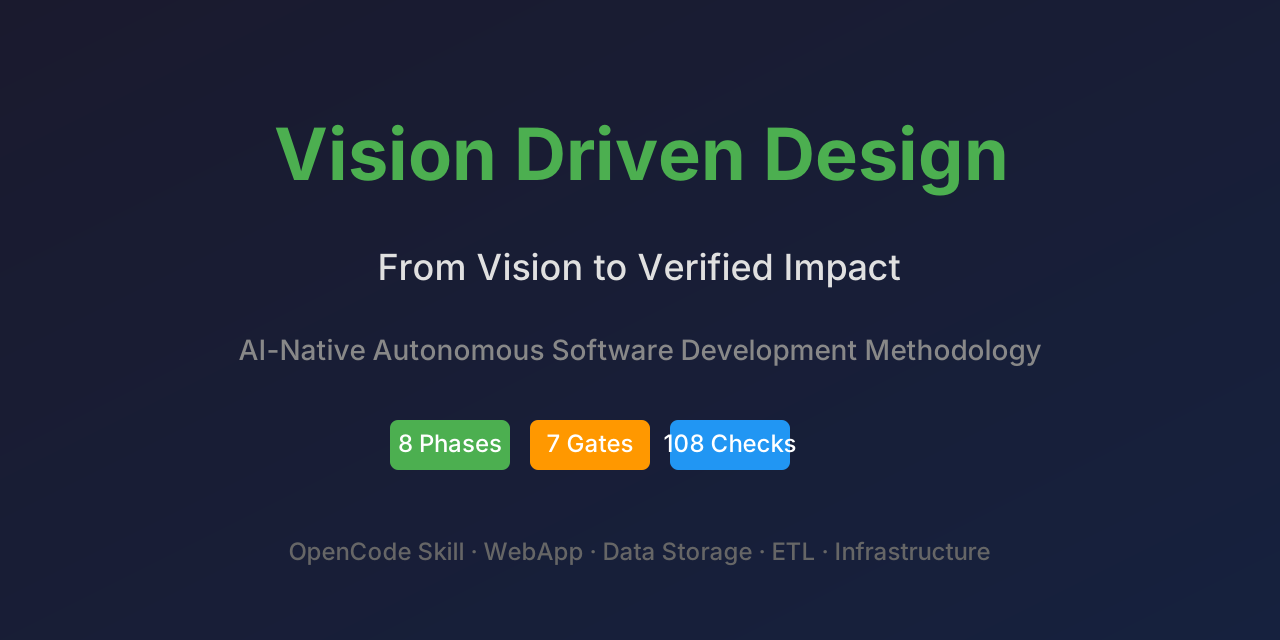 Vision Driven Design (VDD) MCP ServerB
Spec-driven development MCP server: 8 phases, bi-directional traceability, 7 quality gates.
MOMochifyB
Image and PDF toolkit: convert to AVIF/WebP/JXL, resize, crop, remove backgrounds, optimize PDFs.
MMMagic Master — Audio MasteringB
Audio mastering for AI agents: LUFS/True Peak targets, Suno/Udio AI-fingerprint removal.
 The Scribble ThingB
Turn one line-art image into a prompt-directed, hand-drawn scribe animation MP4.
MVMink Viking ExperienceB
Real-time booking, 7-currency pricing, and FAQ for Reykjavik's Viking portrait photo studio.